For men · on iPhone
Find the cut that fits you.
Take a selfie, answer a few quick questions and get haircuts and colours matched to your face and hair. You get the exact words to tell your barber, and you can see yourself with the look before you sit in the chair.
- Free recommendations
- No account
- No subscription

 AI preview
Analysing on your iPhone
Your photo stays on your phone.
Your top matches
Textured Fringe
Ask your barber for 5–7 cm on top, point-cut for choppy texture, fringe pushed forward to mid-forehead. Sides tapered short with a #3, blended into the top, no skin.
Example · AI-generated model
How it works
From selfie to barber chair in under two minutes.
-
01
Snap a selfie
Answer a few one-tap questions and take a photo. Your face shape is estimated right on your iPhone. The photo doesn't leave your phone.
-
02
Get your matches
Your best haircuts and colours, each with upkeep, styling time and the exact words to use at the barber.
Free -
03
See yourself with it
Create an AI preview of you with a new cut, colour or beard before you commit. Then see it from the side and the back.
1 credit per change
The haircuts
See it before you sit down.
15 cuts, named the way barbers name them. Drag the line to compare, and pick any cut to see the change.
Ask your barber for
Textured Fringe
5–7 cm on top, point-cut for choppy texture, fringe pushed forward to mid-forehead. Sides tapered short with a #3, blended into the top, no skin.
- Upkeep
- Trim every 4 weeks
- Styling
- Matte clay · 5 min
Colour studio
Try a colour without the commitment.
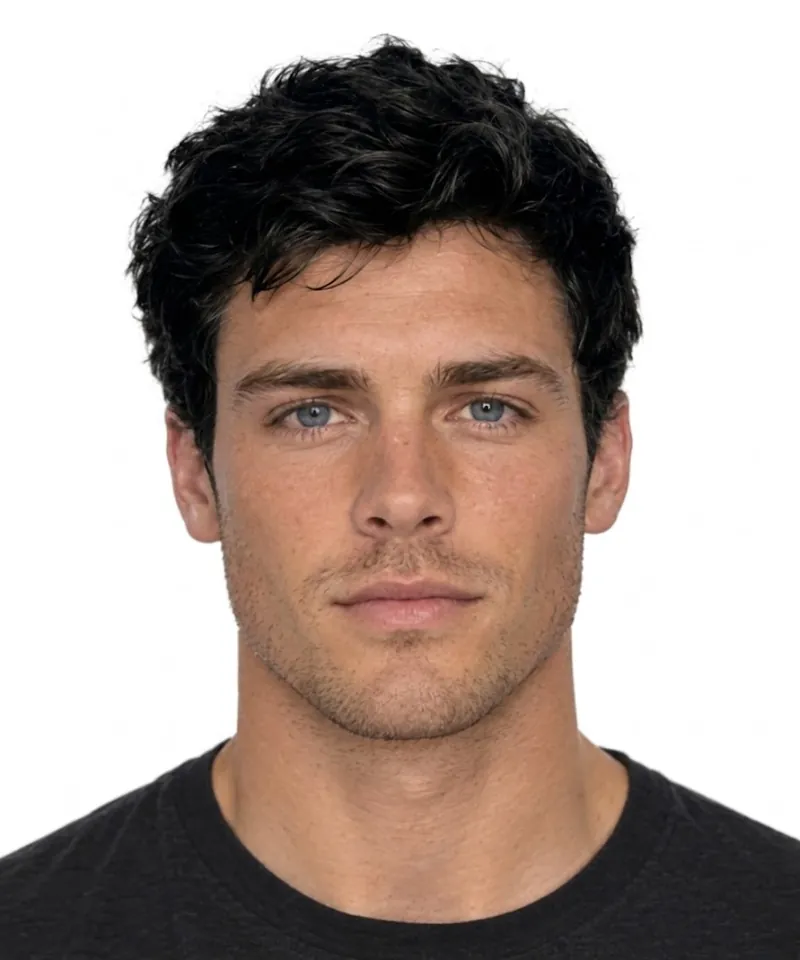
8 shades, from an easy dark brown to icy platinum. The app tells you what each one takes before you book.
Ask your colourist for
Jet Black
Permanent jet black (level 1) all over, finished with a gloss.
- Upkeep
- Roots every 6–8 weeks
- Effort
Beards and moustaches
Try a beard before you grow one.
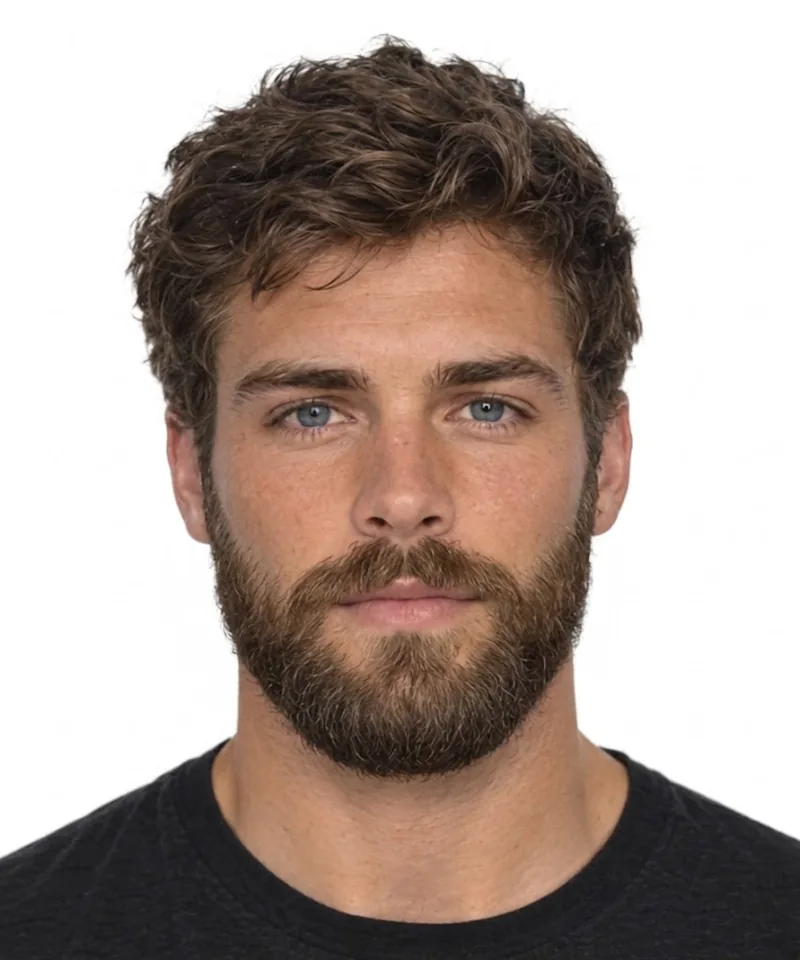
9 styles, from clean shaven to a full handlebar. Add one to any cut, or try it on its own.
Ask your barber for
Full Beard
Grow it to 4–6 cm, then shape it rounded at the bottom. Clean up the cheek line lightly and keep the moustache off the lip.
- Upkeep
- Shape every 2–3 weeks · beard oil
- Type
- Beard
Every angle
Check the fade from the side. And the back.
A cut can look great from the front and wrong from the side. After your preview, add a side view and a back view of the same look, so you see the fade, the length and the neckline before your barber does.

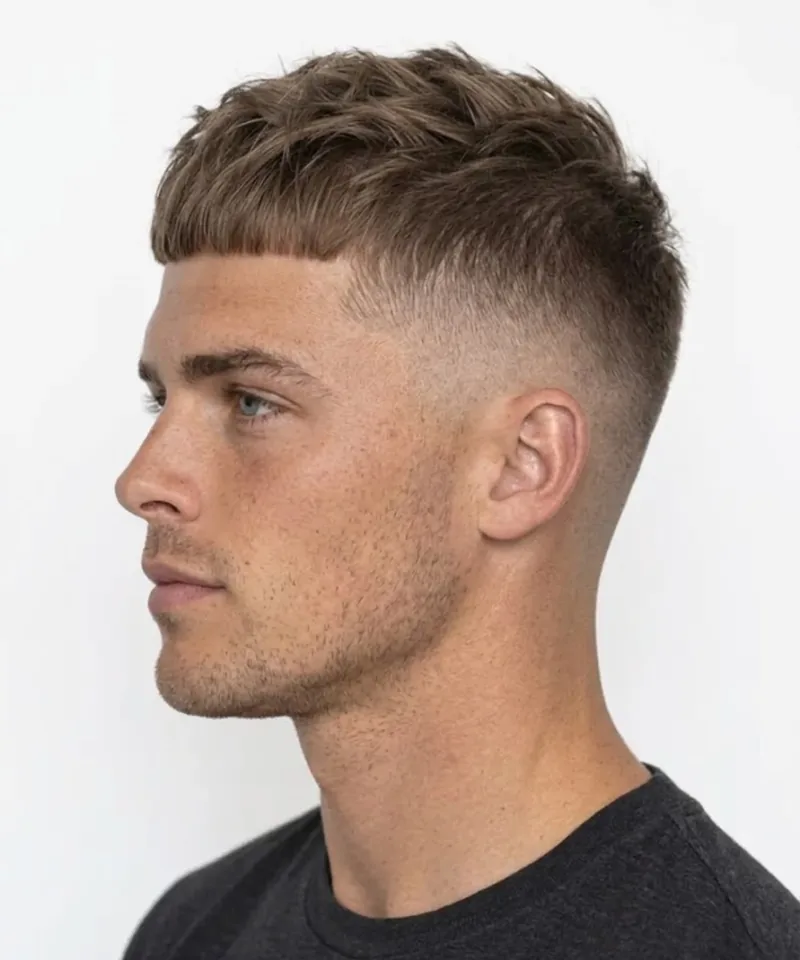
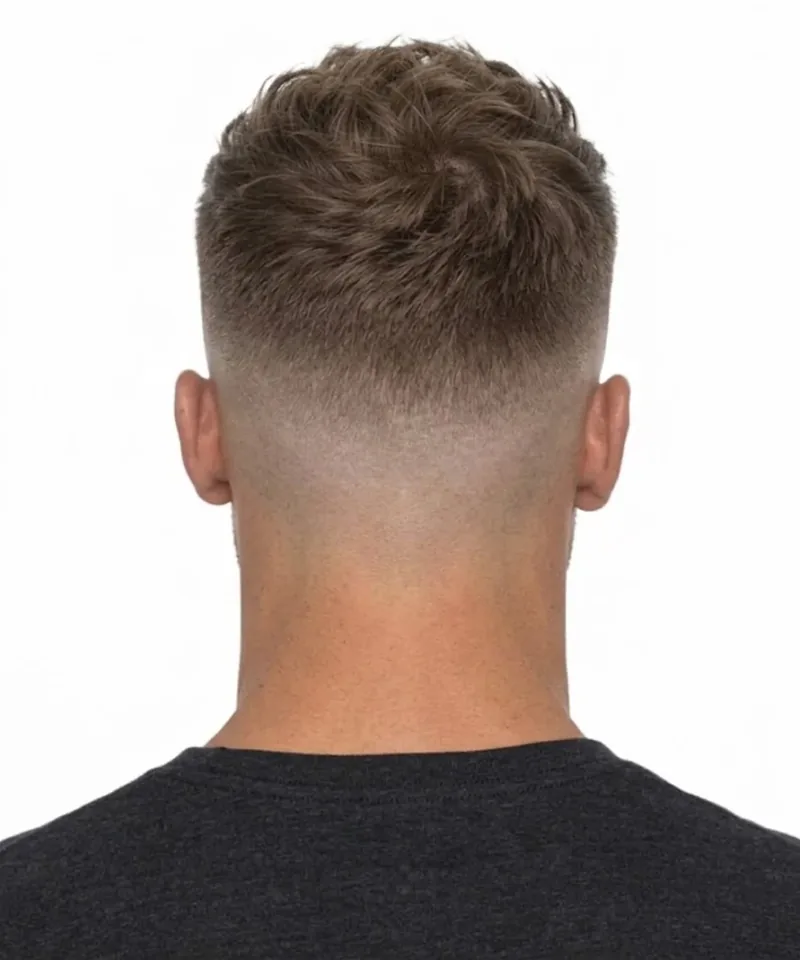
Example · AI-generated model · Side and back views: 1 credit each
Privacy
Your face stays yours.
No account, no name, no email, no ads and no tracking. How your photo is used
-
Analysed on your iPhone
Your answers and face-shape estimate never leave your phone, and face measurements are never stored.
-
Sent only when you ask
Your photo is sent only to create a preview you chose, after you've agreed to how it's handled.
-
Never used to train AI
Our AI provider, Google, doesn't train on your photo. We delete it from our servers within 1 hour.
Pricing
Recommendations are free. Previews use credits.
1 credit for each change: a new cut, a new colour or a new beard. Combine them in one image, 1 credit each. A side or back view of your preview: 1 credit.
- No subscription
- Credits never expire
- A failed preview gives your credits back
- Local prices shown in the app
How does it work?
You answer a few quick questions and take a selfie. On your iPhone, the app checks the photo and estimates your face shape, then matches haircuts and colours to you. You get the top matches free, with instructions for your barber or colourist. If you want to see yourself with one, you can create an AI preview with a credit.
Are the previews real photos?
No. A preview is an AI-generated image made from your selfie. It shows roughly how a cut or colour could look on you, but real hair can turn out differently. Every preview carries a visible “AI preview” label and an invisible watermark that marks it as AI-made.
What happens to my photo? Will an AI company train on it?
For recommendations, your photo never leaves your phone. When you create a preview, it goes through our server to Google's Gemini API, which makes the image. Google does not use it to train its AI. Google keeps a copy for up to 55 days only to detect misuse. We delete the photo from our servers within 1 hour and the preview within 24 hours. Full details
Do I need an account?
No. There's no sign-up. Purchases go through your Apple ID, so your credits come back automatically on a new iPhone.
How much does it cost?
Recommendations are free. A preview costs 1 credit for each change: a new cut, a new colour or a new beard. Packs start at $2.99 for 5 credits. There's no subscription and nothing renews automatically.
Can I see the cut from the side and the back?
Yes. Once you have a preview, you can add a side view and a back view of the same look for 1 credit each, so you can see the fade, the length and the neckline before you go to the barber.
Do credits expire? What if a preview fails?
Credits never expire. If a preview fails or is blocked, your credits are returned automatically.
Can I try a cut, a colour and a beard together?
Yes. One preview can combine a new cut, a new colour and a new beard or moustache, for 1 credit each.
How do I delete my data?
In the app, open Settings and tap Delete my data. It deletes everything on your phone and on our servers straight away. You can also email [email protected].
Who is it for, and where is it available?
Men aged 18 and over with an iPhone. At launch it's available in most App Store countries, but not yet in the EU, the EEA, the UK, Switzerland, Serbia, Turkey or mainland China. An Android version may come later.
Your next cut, decided before you sit down.
Free to download. Free recommendations. Pay only for the previews you want.